If you try to run AcuSensor Injector on Windows Server 2008 you will receive the error “Error populating websites, Unknown error (0x80005000)”.
AcuSensor Injector is using Active Directory Service Interfaces (ADSI) to construct a list of websites and virtual directories. ADSI is not available by default on Windows Server 2008.
To solve this problem you need to install the role service named IIS 6 Metabase Compatibility.
To do this, follow these steps:
1. Click Start, and then click Control Panel.
2. Click Programs and Features.
3. Click Turn Windows features on or off.
4. On Roles Summary group, click on Web Server (IIS) role
5. On Roles Services group, click on Add Role Services.
6. Go to Management Tools->IIS 6 Management Compatibility and enable IIS 6 Metabase Compatibility.
7. Click Next and Install.
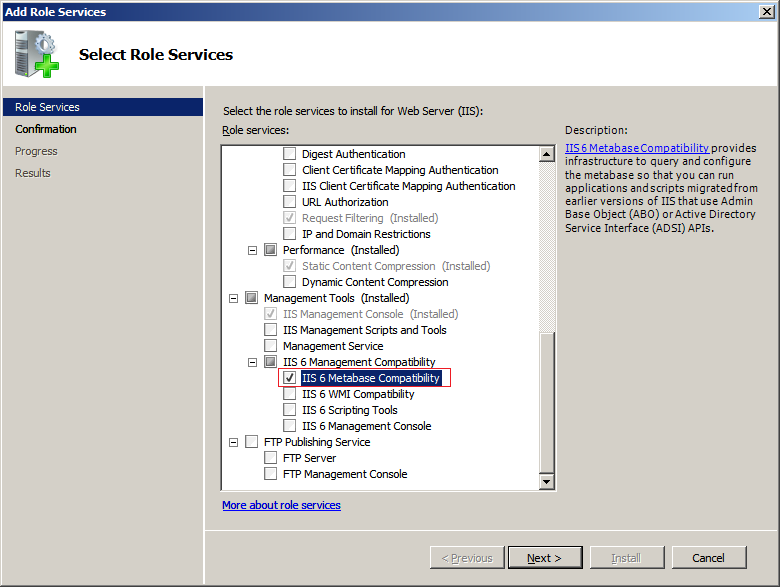
IIS 6 Metabase Compatibility
Get the latest content on web security
in your inbox each week.
THE AUTHOR