Free manual web app pen testing tools
Acunetix Manual Tools is a free suite of penetration testing tools for manual web application cybersecurity and security assessment. The tools are available as a separate Windows installation package and are free for both private and commercial use.
The suite includes eight modules for HTTP analysis, subdomain discovery, credential testing, fuzzing, and more. While not open-source, these security tools provide a wide range of functionality for hands-on testing across modern web applications.
These tools are most effective when you already know where to look. If you’re still spending time finding security vulnerabilities manually, you’re doing the hardest part by hand. A web vulnerability scanner such as Acunetix can automate that discovery so your manual testing goes further.
(4.04 MB, Windows, .exe installer)

Why manual testing still matters
Manual testing remains a core part of web application security and cybersecurity workflows. It gives penetration testers the flexibility to explore application behavior, validate findings, and investigate edge cases that require human judgment.
Tools like HTTP editors, intercepting proxies similar to Burp Suite or OWASP ZAP, and traffic analyzers like Wireshark allow you to craft requests, manipulate inputs, and observe responses in real time. This is essential for validating vulnerabilities such as SQL injection and cross-site scripting (XSS), or for testing complex authentication flows.
In practice, experienced testers combine multiple penetration testing tools – from sqlmap to Metasploit – to build a complete picture of application behavior. Manual testing is where depth and creativity come into play.
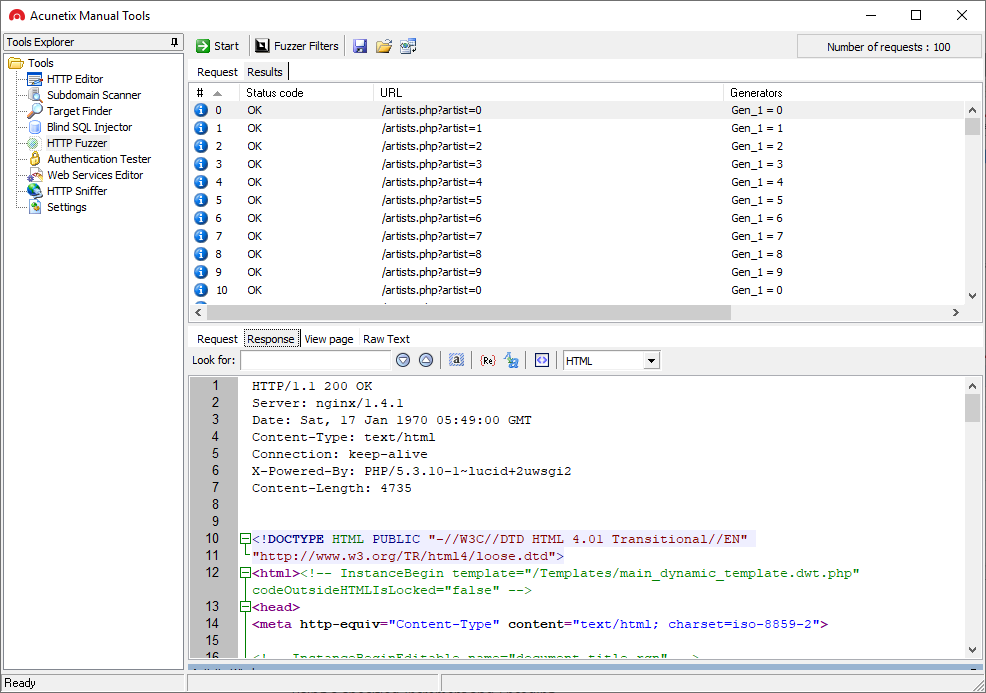
What these free pen testing tools help you do
The Invicti Manual Tools suite supports several common application security testing workflows:
- HTTP testing and analysis: Create, intercept, and modify HTTP requests and responses to analyze application behavior and uncover security vulnerabilities.
- Fuzzing and input validation testing: Send malformed or unexpected data to identify misconfigurations, input validation issues, and weak rate limiting.
- Discovery and reconnaissance: Perform subdomain discovery and basic network scanning to better understand the attack surface of a web server.
- Authentication and password testing: Run brute force and password cracking attempts against HTTP authentication and custom login forms using built-in or custom dictionaries.
- Targeted vulnerability testing: Simulate specific attack scenarios such as blind SQL injection and other exploitable weaknesses.
Some modules also provide lightweight network security capabilities, such as a built-in port scanner similar in concept to tools like nmap, which is intended to help penetration testers identify exposed services.

Manual testing tools included in the package
Invicti Manual Tools includes the following penetration testing tools:
- HTTP Editor: HTTP testing and request manipulation tool for analyzing web application behavior and vulnerabilities such as XSS and SQL injection.
- HTTP Sniffer: Intercepting proxy (similar to Burp Suite or OWASP ZAP) for inspecting and modifying HTTP traffic in real time.
- HTTP Fuzzer: Fuzzing tool for testing input validation, misconfigurations, and application resilience.
- Authentication Tester: Password cracking and brute force testing tool for evaluating authentication mechanisms.
- Blind SQL Injector: Specialized SQL injection testing tool for identifying blind SQLi vulnerabilities.
- Target Finder: Network scanning and port scanner tool for discovering web servers and exposed services (similar to nmap).
- Subdomain Scanner: Subdomain discovery tool for mapping application attack surface.
- Web Services Editor: Tool for testing and modifying SOAP-based web services and APIs.

Where manual-only testing breaks down
Manual testing tools can be powerful, but to use them effectively, you already have to know where to look. Finding security vulnerabilities across sprawling modern applications is a different challenge.
As applications grow in size and complexity, manually exploring every endpoint, parameter, and workflow becomes time-consuming and inconsistent. It’s easy to miss parts of the attack surface, especially in applications with dynamic content, complex logic, or extensive APIs that are difficult to enumerate manually.
There’s also a cost factor. Time spent hunting for vulnerabilities manually is time not spent fixing them. At scale, that tradeoff becomes expensive – especially when the same coverage can be achieved automatically in minutes. Without a vulnerability scanner to automate discovery, security auditing efforts can become reactive and difficult to scale for security teams.
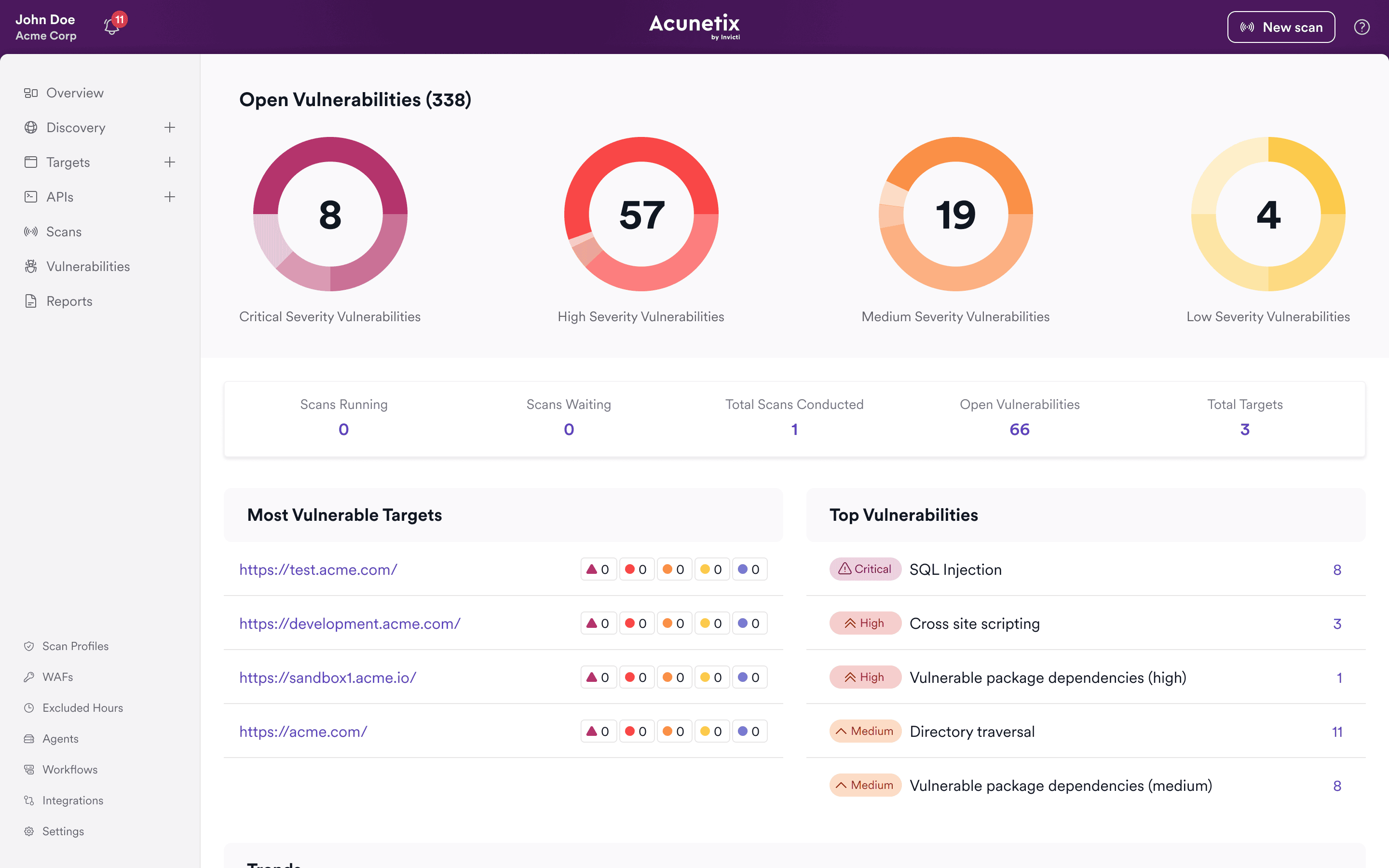
Better together: Automated scanning and manual testing
The most effective approach is to combine automated scanning with manual testing, not choose between them.
Automated DAST tools like Invicti act as a web vulnerability scanner and security scanner, continuously crawling and testing your applications to identify potential vulnerabilities across the entire attack surface. This includes common issues tracked as CVEs, exploitable flaws such as XSS and injections, and various configuration weaknesses.
Manual tools then come into play to validate findings, explore edge cases, and perform deeper analysis where needed. Automated scanning finds vulnerabilities across your application, while manual testing validates and explores them. Instead of searching for issues, you start with identified targets and go deeper where it matters.
This combination improves both coverage and efficiency: automation finds the issues, and manual testing confirms and expands on them while reducing the risk of overlooked vulnerabilities.

Move from manual effort to scalable testing
Invicti is built to solve the part of the problem that manual tools cannot: discovering vulnerabilities at scale. With automated web vulnerability scanning, Invicti can:
- Crawl and map your applications to uncover hidden attack surface
- Test for a wide range of security vulnerabilities automatically
- Provide consistent, repeatable results across environments and operating systems
- Help reduce false positives with validated findings, so developers spend less time verifying issues and more time fixing real vulnerabilities
- Give security teams a clear starting point for vulnerability assessment and remediation
This allows you to spend less time searching for vulnerabilities and more time understanding and fixing them.
Manual tools remain an important part of the workflow – but with an automated DAST tool like Invicti, they become far more targeted and effective. Request an Invicti demo to see this combination at work in your application environments.
FAQs about manual pen testing tools
They are useful penetration testing tools for manual validation and exploration, but on their own they don’t provide full coverage. A web vulnerability scanner is needed to consistently identify vulnerabilities across an entire application.
Manual tools are best used to validate individual vulnerabilities, investigate complex behaviors, and perform targeted testing that requires human judgment during a security assessment.
Invicti acts as an automated vulnerability scanner that discovers and tests your applications for vulnerabilities, giving you a clear starting point. You can then use manual tools to validate and explore specific findings in more detail.
In most cases, yes. Automated security tools provide scale and coverage, while manual testing provides depth and validation. Together, they form a more complete approach to application security and network security.
Manual testing relies on human expertise to explore and validate vulnerabilities, while automated tools like web vulnerability scanners identify issues across the application at scale. In practice, automated testing finds vulnerabilities, and manual testing is used to verify and investigate them further.
Recommended Reading
Learn more about prominent vulnerabilities, keep up with recent product updates, and catch the latest news from Invicti.




“We use Invicti as part of our Security in the SDLC and to test code in DEV and SIT before being promoted to Production.”
Kurt Zanzi, Xerox CA-MMIS Information Securtiy Office, Xerox