The Subdomain Scanner is one of the tools in the Acunetix Manual Tools suite for penetration testers. The Acunetix Manual Tools Suite is a set of tools for penetration testing, ethical hacking, and attack surface information gathering. The tools are free for commercial use but they are not open-source.
The Subdomain Scanner is a subdomain discovery tool. It allows you to run a scan for a top-level domain name to discover target organization subdomains configured in its hierarchy.
The Subdomain Scanner uses the target domain’s DNS server (or any other DNS server specified) to scan the DNS records for possible subdomains. While scanning, the Subdomain Scanner will also automatically identify if the domain being scanned uses wildcards (*.example.com). It uses DNS servers and DNS enumeration based on common subdomain names. It does not brute-force subdomains and it does not use SSL certificates, public search engines, reverse DNS PTR records, DNS zone transfers, or other similar scan methods.
To find subdomains, launch the Acunetix Tools application and select the Subdomain Scanner from the Tools Explorer.

The top pane of the Subdomain Scanner is where you’ll see the results of the subdomain scan. The bottom pane displays the HTTP response headers and data received from the server.
Scan a Domain
You may either use the target’s DNS server to for DNS lookups (default) or, alternatively, you may specify a DNS server of your choice to resolve DNS queries and gather subdomain information.
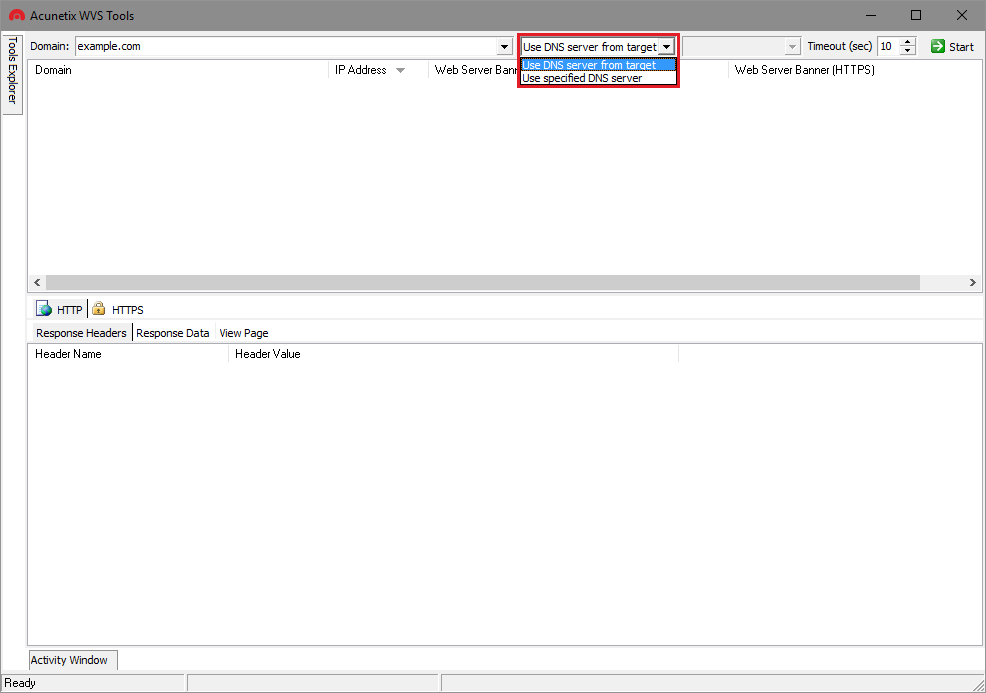
You may also choose to alter the default timeout (10 seconds by default). Increasing the timeout value may be useful if DNS requests are timing out. Click the Start button in the top-right corner to begin subdomain enumeration.
Analyze Results
Domains are displayed as soon as they are discovered in the bottom pane. Additionally, the Subdomain Scanner also checks for the presence of web servers for a given subdomain. If found, the server’s IP address and web server banner are also retrieved.
You can right-click the discovered web server to send custom requests using the HTTP Editor, as well as export the list of discovered web servers as a CSV file.
Acunetix is an automated web application security scanner and vulnerability management platform. In addition, Acunetix also provides a suite of manual pentesting tools that allow users to quickly and easily confirm and take automated testing further.
Get the latest content on web security
in your inbox each week.
THE AUTHOR